OrbVoice for iPhone
Stay with the patient.
OrbVoice turns your clinical conversations into organized notes, so you can give patients your full attention.
The note is still yours.
From conversation to note
Keep the conversation. Find the details.
OrbVoice turns your clinical conversations into organized notes, so you can give patients your full attention.
Structure you can scan
Find the visit’s details in organized sections instead of starting from a blank page.
Wording you can shape
Adjust the draft to reflect the visit and your clinical judgment.
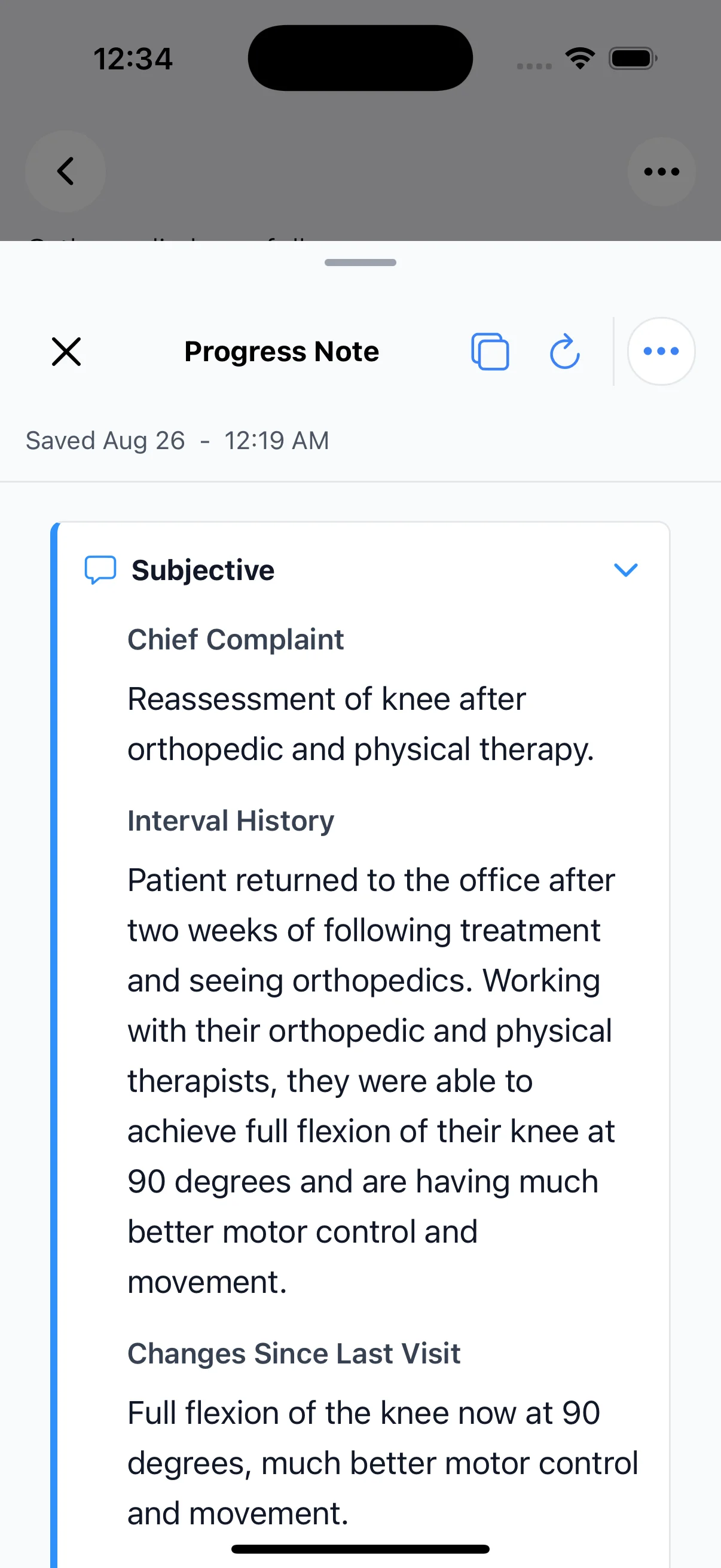
View the example note
A useful first step
Start with your next conversation.
Download OrbVoice for iPhone, or talk with us about bringing it to your practice.
Download OrbVoiceWhere do I download OrbVoice?
The download button opens OrbVoice’s App Store listing. Check the listing for current device compatibility and availability.
What if I’m choosing for a practice?
Plan a practice pilot to discuss your team, workflow and setup.
Will it fit our EHR workflow?
Tell us which EHR your practice uses. We’ll confirm the connection and chart workflow with you before rollout. Talk about your workflow
What about billing and coding review?
Explore billing-team review tools and discuss your practice’s workflow.
Where can I get help?
Contact OrbDoc support for product or setup questions.